Map
The Map page provides interactive visualizations of your location data. You can view points, routes, heatmaps, and various other layers to explore your travel history.
Map Versions
Dawarich offers two map implementations:
Map V2 (MapLibre GL JS) — Default
The current default map implementation using MapLibre GL JS. Map V2 offers:
- Better performance - WebGL-based rendering for smoother interactions
- Globe view - 3D globe rendering option
- Search functionality - Built-in place search (see Search)
- Modern styling - More map style options
Map V1 (Leaflet) — Deprecated
The original map implementation using Leaflet.js. Map V1 is deprecated and will be removed in summer 2026. If you are still using Map V1, please switch to Map V2.
To switch between map versions, access /map/v1 or /map/v2 in your browser URL, or configure your preferred version in settings.
Map Interface
Time Range Selection
Use the date picker at the top to select the time range for displayed data. You can view data from a single day to your entire history.
Sidebar
The sidebar provides:
- Year/Month Navigation - Browse your data by time period
- Countries & Cities - View statistics on places you've visited
- Layer Controls - Toggle map layers on/off
Point Details
Click on any point to see:
- Timestamp
- Coordinates
- Altitude (if available)
- Speed (if available)
- Battery level (if recorded)
Route Details
Hover over or click on a route to see:
- Total distance
- Duration
- Average speed
- Transportation mode (if detected)
Map Layers
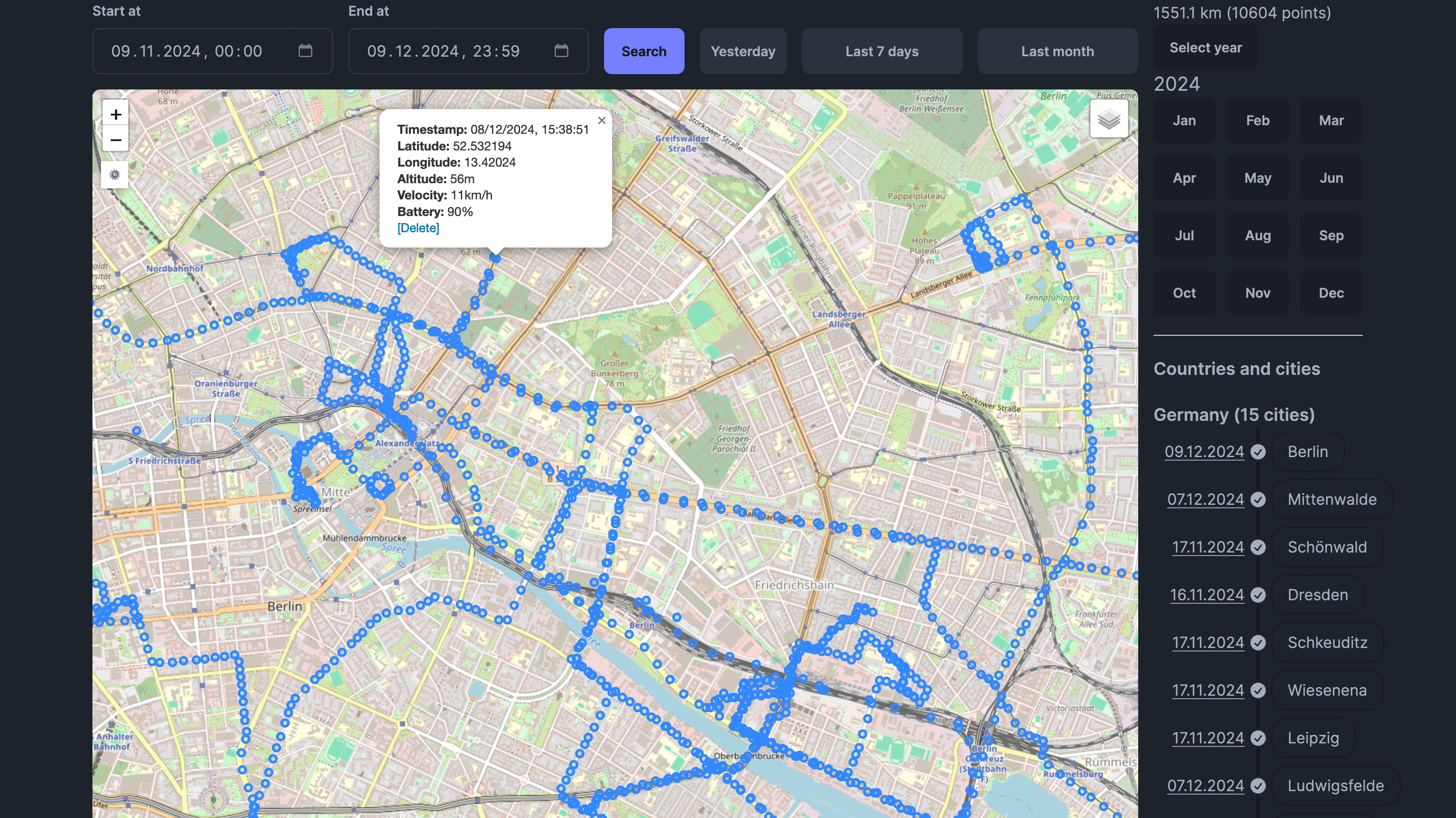
Points
Shows individual GPS points on the map as markers.
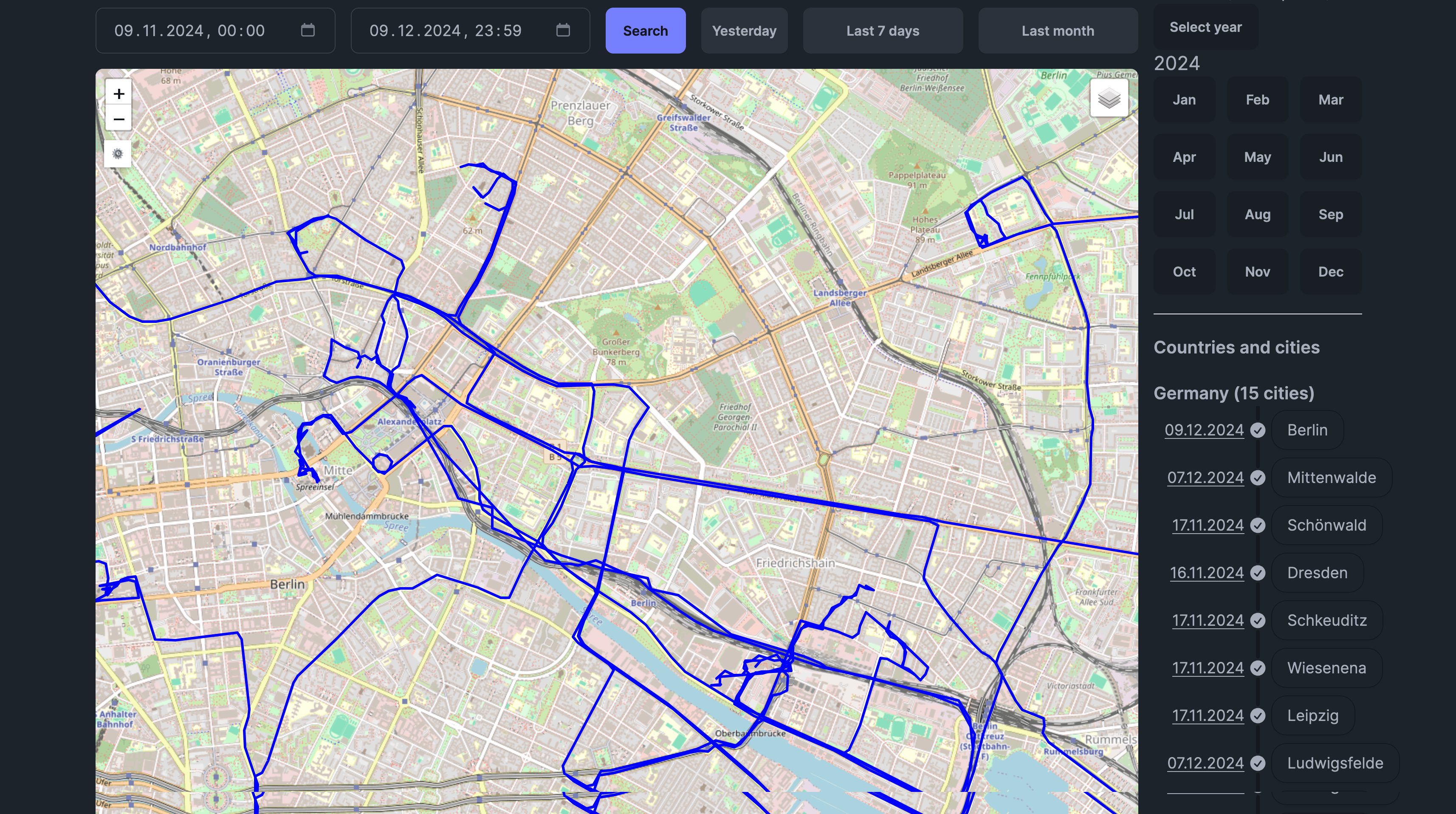
Polylines (Routes)
Displays your routes connecting GPS points. Routes are automatically generated based on your configured time and distance thresholds.
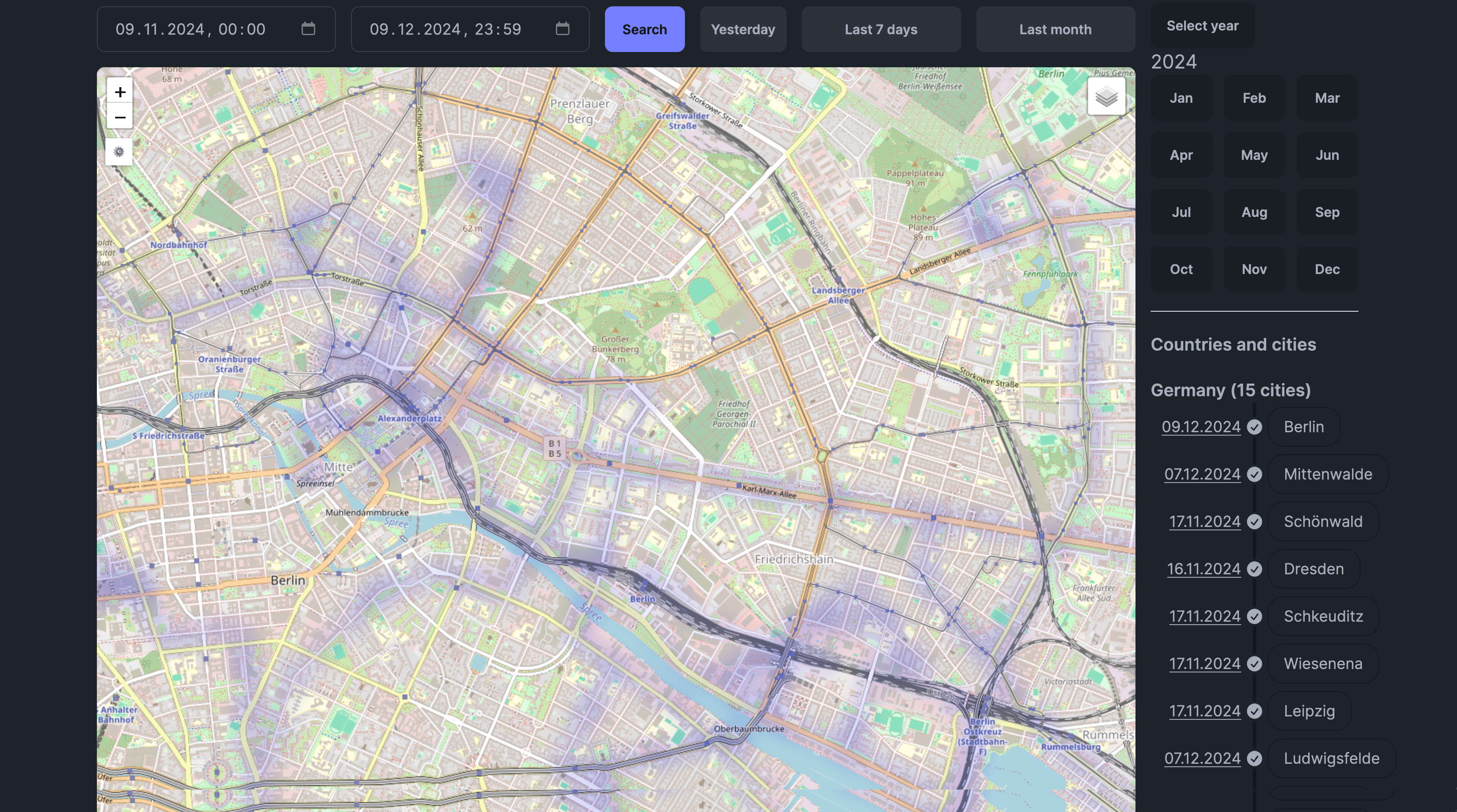
Heatmap
Visualizes point density as a heatmap, showing areas where you spend the most time.
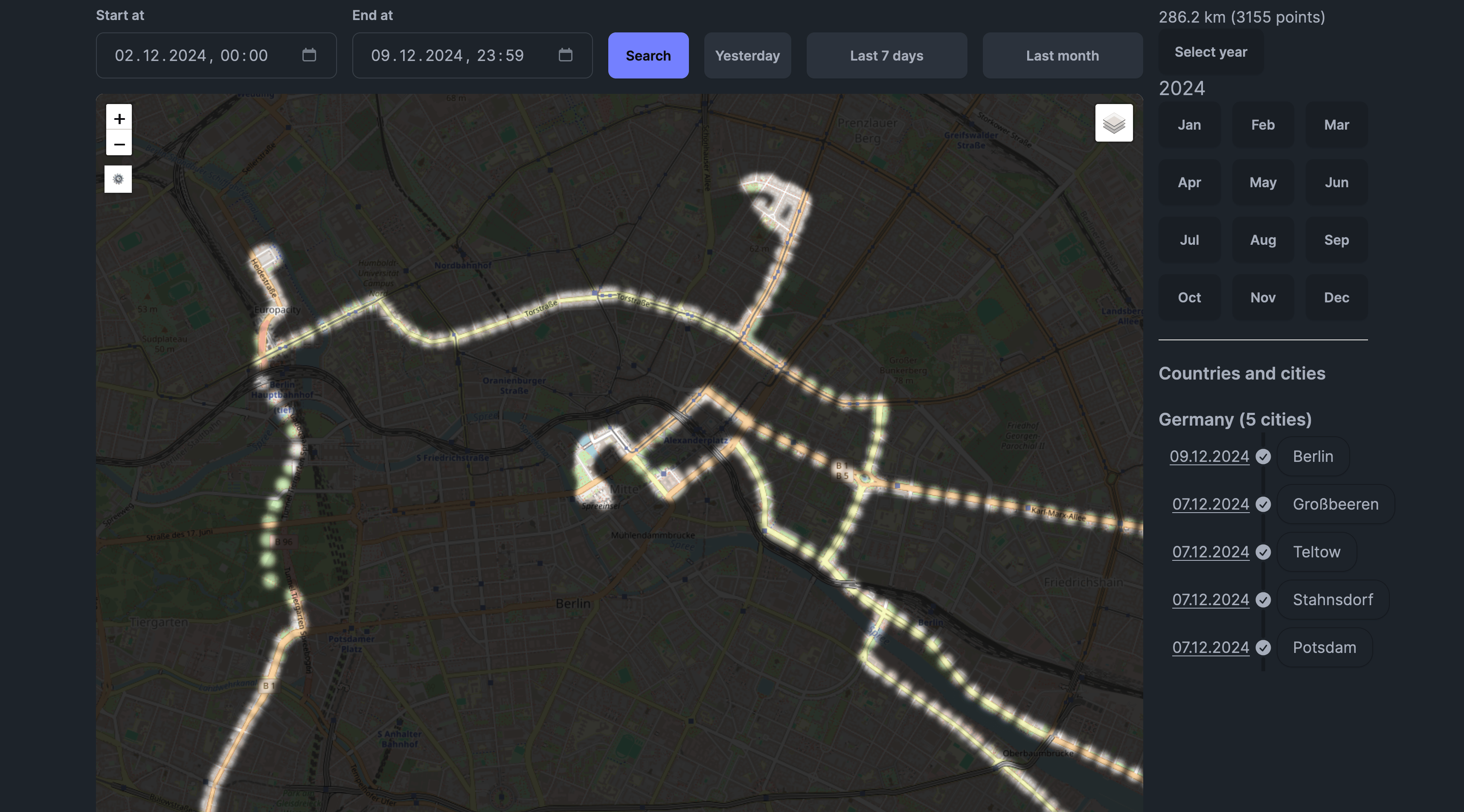
Fog of War
Shows unexplored areas as "fog," revealing only the regions you've visited. Great for visualizing your travel coverage.
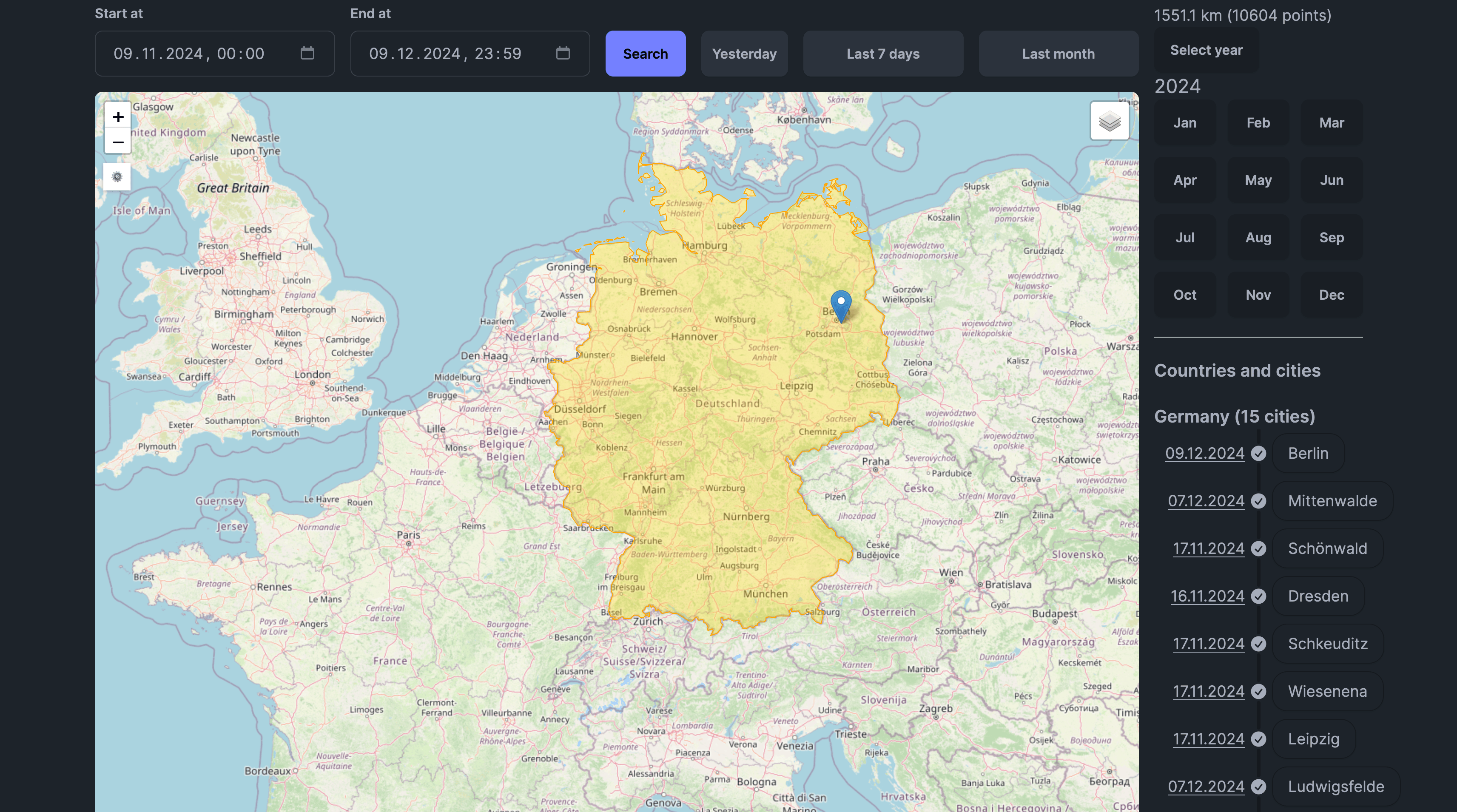
Scratch Map
Highlights countries you've visited on a world map overlay.
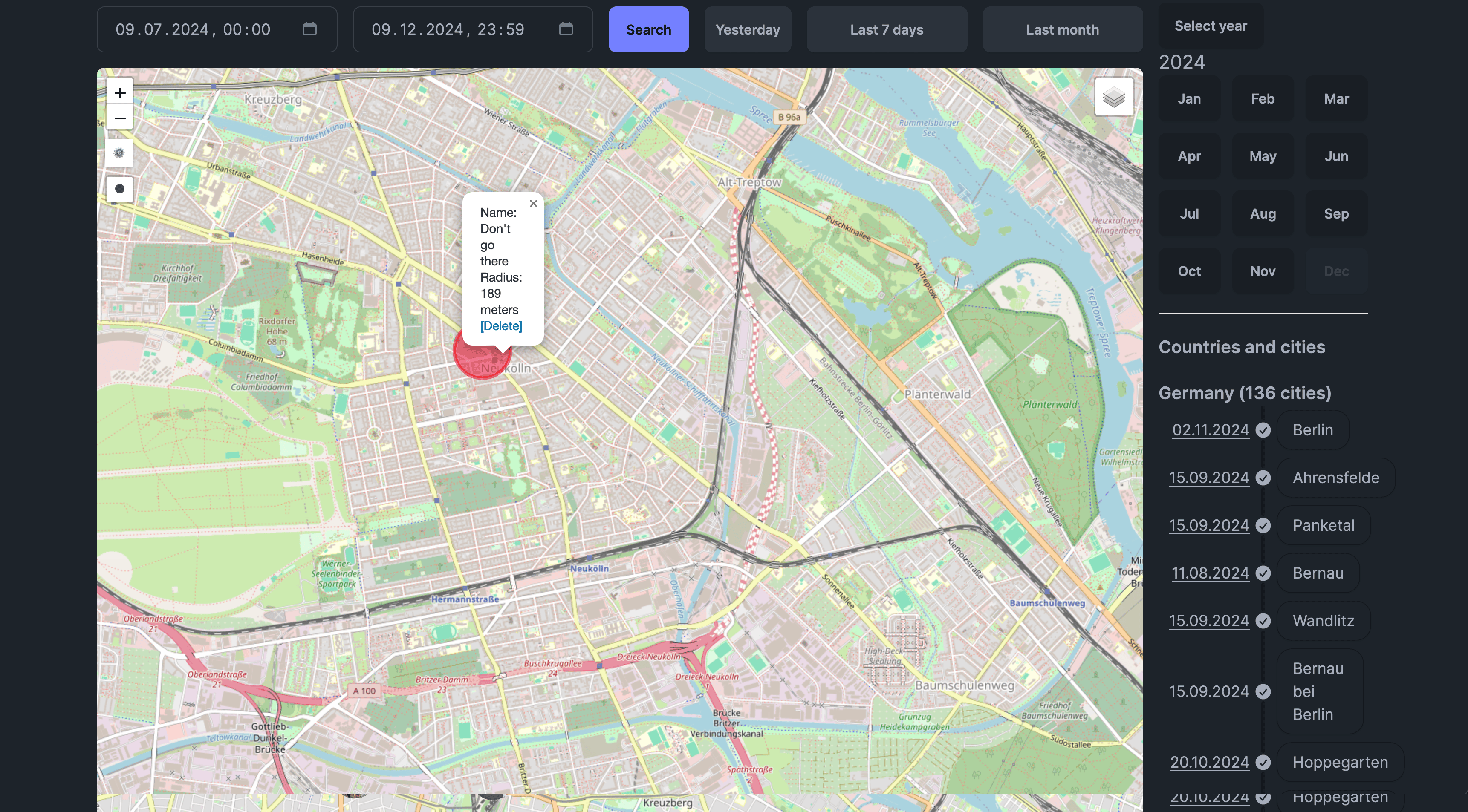
Areas
Shows custom areas you've drawn on the map. Also enables area drawing tools.
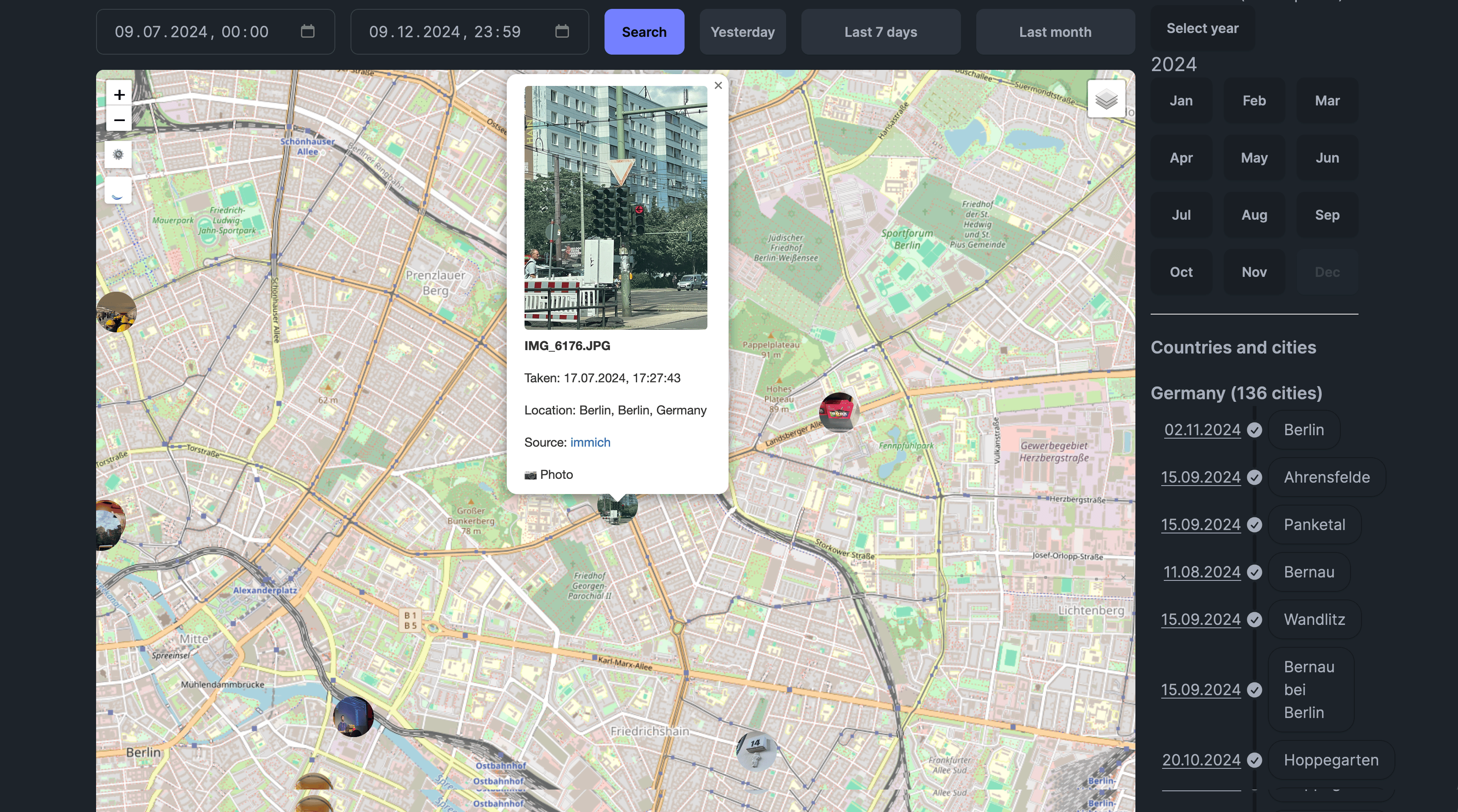
Photos
Displays photos from connected Immich and/or Photoprism instances at their GPS locations.
Family (Map V2)
When you have Family Location Sharing enabled, shows real-time locations of family members who are sharing their location with you.
Map Styles
You can choose from multiple map styles:
Map V1:
- OpenStreetMap (default)
- Various other tile providers
Map V2:
- Light theme
- Dark theme
- Satellite imagery
- Multiple style variations
Speed-Colored Routes
Enable "Fancy Routes" or "Speed Colored Routes" in settings to color your routes based on speed:
- Green - Slower speeds (walking, cycling)
- Yellow - Medium speeds
- Red - Higher speeds (driving)
The color scale is customizable to match your typical travel speeds.
Globe View (Map V2)
Map V2 supports 3D globe rendering:
- Go to Settings
- Enable "Globe Projection"
- The map will render as a 3D globe instead of flat projection
This provides a more realistic view when zoomed out and is particularly striking for visualizing global travel.
Live Map Mode
When enabled, Live Map Mode:
- Automatically updates with new points as they're recorded
- Centers the map on your most recent location
- Useful for real-time tracking
Point Drag & Drop
In Map V2, you can drag points to adjust their position:
- Enable point editing mode
- Click and drag a point to a new location
- The point's coordinates are updated
This is useful for correcting GPS drift or inaccurate readings.
Bulk Selection Tool
Select multiple points at once:
- Enable the selection tool
- Draw a rectangle around points to select
- Perform bulk actions (delete, export, etc.)
Map Settings
Access map settings through the Settings button in the top right corner of the map. Available settings include:
| Setting | Description |
|---|---|
| Preferred Map Layer | Default map style |
| Route Opacity | Transparency of route lines |
| Fog of War Meters | Resolution of fog tiles |
| Minutes Between Routes | Time gap to start a new route |
| Meters Between Routes | Distance gap to start a new route |
| Speed Colored Routes | Enable speed-based route coloring |
| Globe Projection | Enable 3D globe view (V2 only) |
| Live Map Enabled | Auto-update with new points |
Search (Map V2)
Map V2 includes a built-in place search feature. See the Search documentation for details.
Tips
- Performance: For large datasets, disable layers you're not using
- Time ranges: Start with shorter time ranges and expand as needed
- Zoom levels: Some layers render differently at various zoom levels
- Mobile: Pinch to zoom, two-finger drag to rotate (V2)