Track Your Location Effortlessly
Choose from multiple tracking apps to automatically record your location. Whether you prefer our official iOS app or popular open-source alternatives, Dawarich works with what you love.
No credit card required
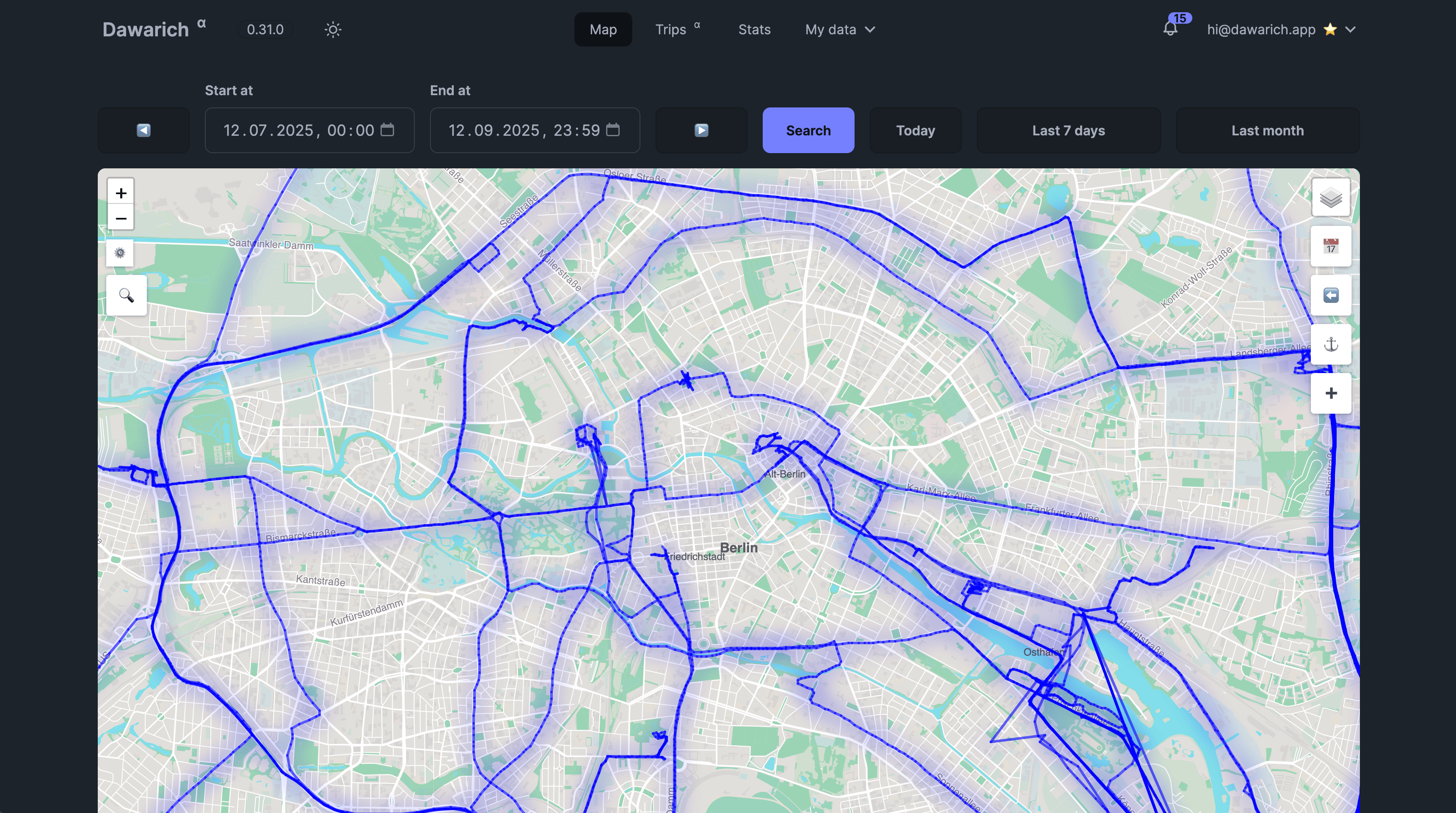
Supported Tracking Apps
Pick the app that works best for your device and workflow. All apps work seamlessly with Dawarich.
Dawarich iOS App
Our official iOS app provides seamless location tracking directly to your Dawarich instance. Available on the App Store.

Overland
Open-source location tracking app that sends data in batches. Works on iOS with configurable accuracy and frequency.
OwnTracks
Popular location tracking solution with extensive customization options and low battery consumption.
GPSLogger
Lightweight Android app focused on battery efficiency with customizable logging intervals and data formats.
PhoneTrack
NextCloud-integrated app that supports custom log jobs. Perfect for users already in the NextCloud ecosystem.
Home Assistant
For smart home enthusiasts, integrate your Home Assistant geolocation data directly into Dawarich.
How to Get Started
Set up location tracking in minutes with any supported app.
Get Your API Key
Find your unique API key in the Account section of your Dawarich dashboard.
- Login to your Dawarich instance
- Navigate to Account settings
- Copy your API key securely
Choose Your App
Select any supported tracking app that fits your needs and device platform.
- iOS: Dawarich app or Overland
- Android: GPSLogger or PhoneTrack
- Both: OwnTracks or Home Assistant integration
Configure the App
Enter your Dawarich instance URL and API key in your chosen app's settings.
- Set receiver endpoint URL
- Add your API key to the URL
- Configure tracking frequency (optional)
- Test the connection
Start Tracking
Once configured, your location data automatically syncs to your private Dawarich account.
- Location updates sent in real-time or batches
- Data syncs automatically in the background
- View your location history on the map
Detailed Setup Guides
Step-by-step instructions for each supported tracking application.
Dawarich iOS App
Native iOS application built specifically for Dawarich
Features:
- Seamless setup
- Low battery impact
- Background tracking
- App Store availability
Setup Steps:
- Install from App Store
- Open app and go to settings
- Enter your API key
- Tap Save and start tracking
Overland
Flexible cross-platform tracking app with batch uploads
Features:
- iOS support
- Batch processing
- Configurable accuracy
- Open source
Setup Steps:
- Install Overland on your device
- Open settings and slide to unlock
- Set Receiver Endpoint URL: http://your-instance/api/v1/overland/batches?api_key=YOUR_KEY
- Optional: Set a Device ID
- Tap Save
OwnTracks
Location tracking app with HTTP mode support
Features:
- Low battery usage
- Highly customizable
- HTTP and MQTT modes
- Cross-platform
Setup Steps:
- Install OwnTracks app
- Tap "i" icon in top left corner
- Select HTTP mode
- Enter URL: http://your-instance/api/v1/owntracks/points?api_key=YOUR_KEY
- Tap Back to save
GPSLogger
Battery-efficient Android logging solution
Features:
- Battery friendly
- Custom logging intervals
- JSON format support
- Lightweight
Setup Steps:
- Install GPSLogger for Android
- Configure custom URL with OwnTracks endpoint
- Set HTTP Body with required JSON format
- Add Content-Type: application/json header
- Use POST method
PhoneTrack
NextCloud integration with custom log jobs
Features:
- NextCloud integration
- Custom log jobs
- Query string parameters
- Flexible configuration
Setup Steps:
- Install PhoneTrack from F-Droid
- Create Custom Log Job
- Use OwnTracks endpoint with query string params
- Enable POST method
- Disable JSON payload option
For complete setup instructions including Home Assistant integration, visit our detailed tracking tutorial.
API Endpoints
Dawarich provides multiple API endpoints for different tracking formats.
Overland Endpoint
/api/v1/overland/batches?api_key=YOUR_KEYFor Overland app batch uploads
OwnTracks Endpoint
/api/v1/owntracks/points?api_key=YOUR_KEYFor OwnTracks, GPSLogger, and PhoneTrack
📘 Full API documentation available at /api-docs on your Dawarich instance
Ready to Start Tracking?
Get your Dawarich account today and start automatically recording your location history.