Connect Your Digital Life
Bring your photos into your location timeline. Dawarich integrates with Immich and PhotoPrism to display your photos on the map and in trips—turning your location history into a rich, visual experience.
No credit card required
Why Photo Integration?
Your location data becomes more meaningful when combined with the photos you took. Rediscover memories by seeing exactly where each photo was taken.
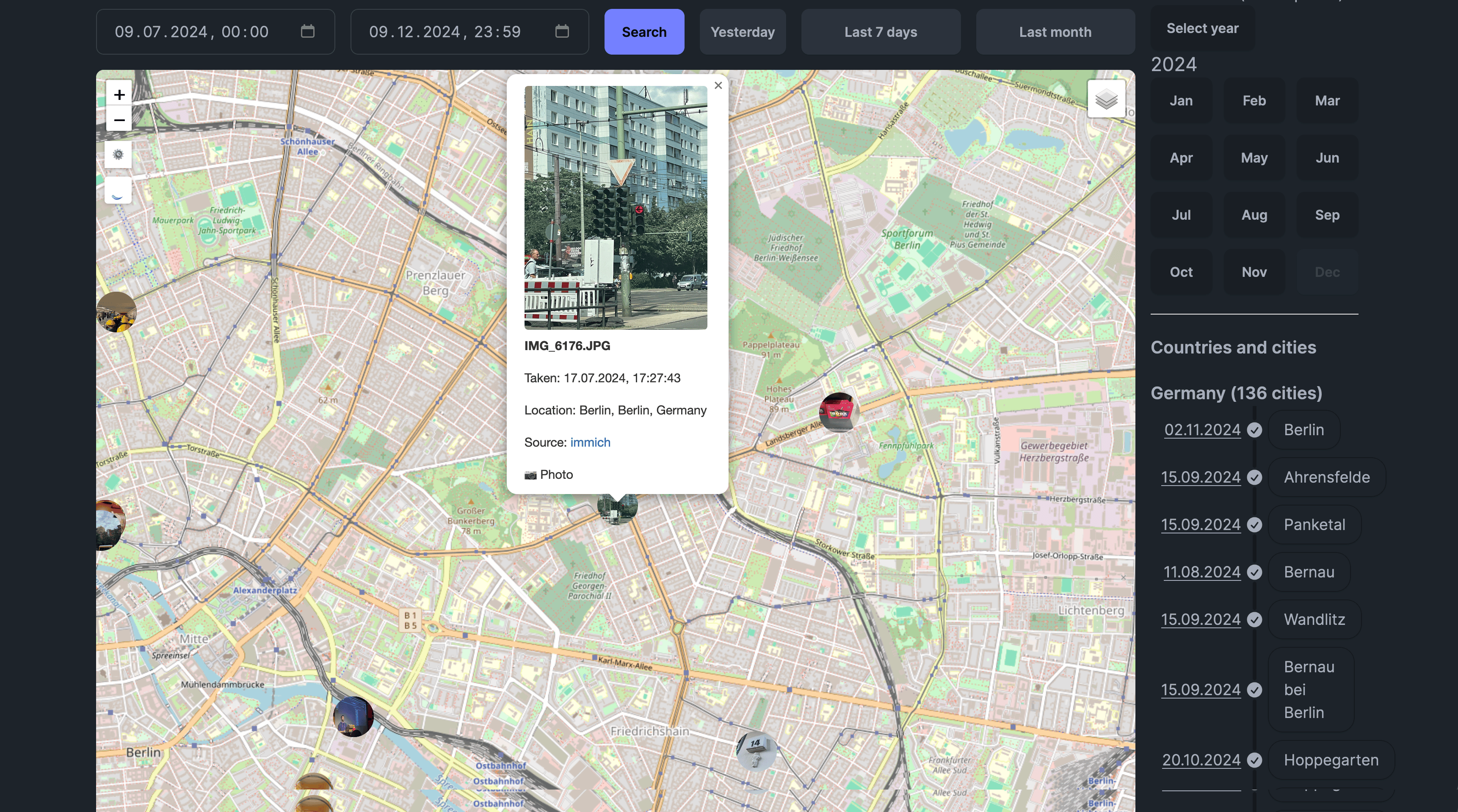
Photos on Map
See all your photos plotted on the interactive map at their exact GPS coordinates. Rediscover where each memory was made.
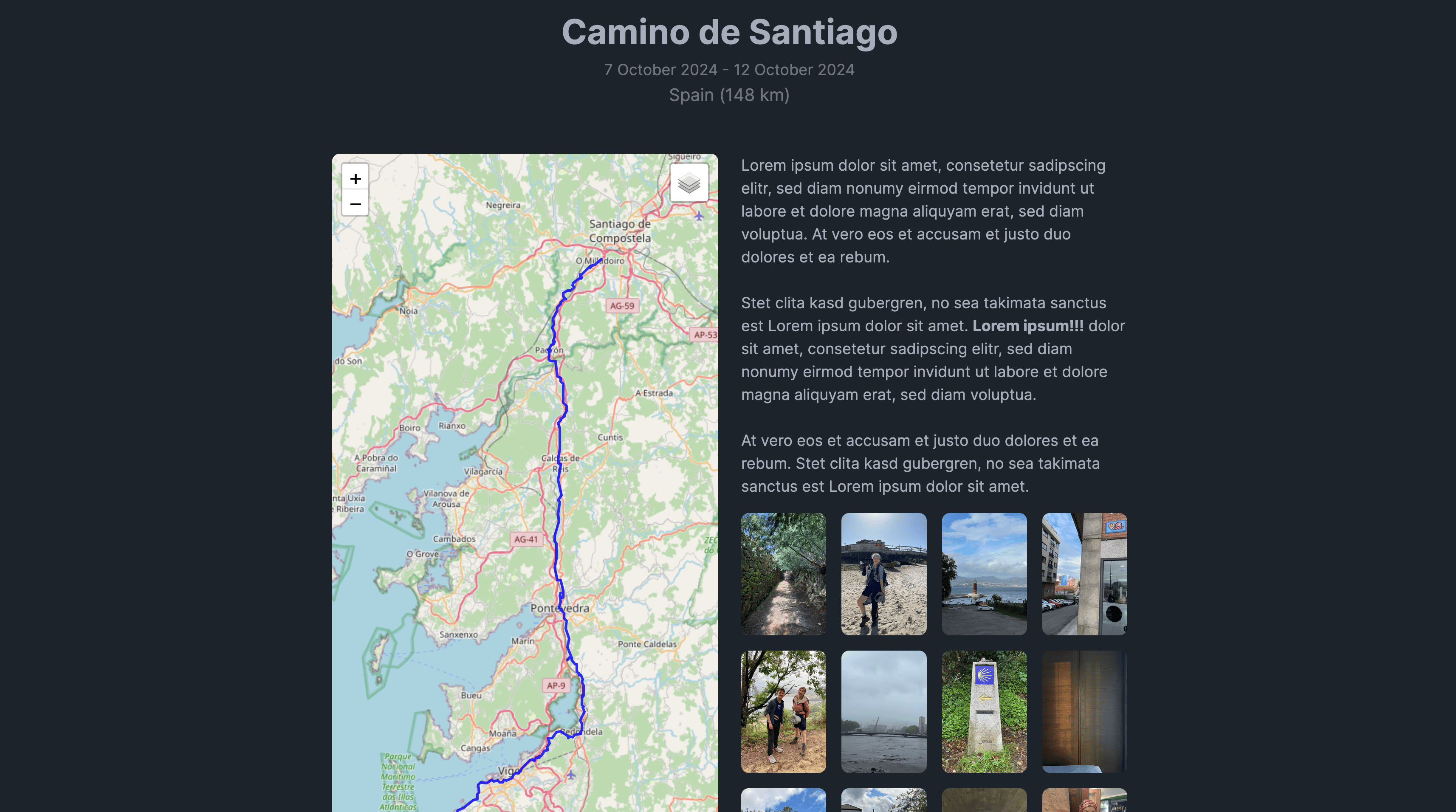
Photos in Trips
Trip pages automatically show photos taken during that trip. Your travel journal becomes a rich multimedia experience.
Photo Timeline
Browse your photos chronologically alongside your location data. See the complete story of each day.
Privacy Preserved
Dawarich never stores your photos. It only reads location data from your self-hosted photo apps via their APIs.
Supported Photo Services
Dawarich works seamlessly with popular self-hosted photo management solutions.
Immich
Self-hosted photo and video backup solution. Connect your Immich instance to display your photos on the map at the exact locations they were taken.
PhotoPrism
AI-powered photo management app. Integrate PhotoPrism to see your entire photo library on your location timeline.
How to Set Up
Connect your photo library to Dawarich in just a few steps.
Get API Keys
Generate API keys from your Immich or PhotoPrism instance.
- Immich: Create key with asset.read scope
- PhotoPrism: Generate key in Apps and Devices settings
- Keep your keys secure
Configure in Dawarich
Enter your photo service details in Dawarich settings.
- Navigate to Settings page
- Find Photo Integration section
- Enter your service URL
- Paste your API key
- Click Save
Sync Complete
Dawarich connects to your photo service and indexes location data.
- Photos are indexed by location
- EXIF GPS data is extracted
- No photos are copied or stored
- Only metadata is used
View Photos
Photos now appear on your map and in your trips.
- Enable Photos layer on the map
- Click photo markers to view
- See photos automatically in trips
- Browse by location and date
Your Photos Stay Private
Dawarich does not store or copy your photos. It only reads location metadata from your self-hosted photo service via its API. Your photos remain safely in your Immich or PhotoPrism instance, under your complete control.
Technical Details
🔧 Immich Setup
Requires an API key with asset.read scope. Dawarich queries the Immich API to read photo metadata including GPS coordinates from EXIF data.
🖼️ PhotoPrism Setup
Generate an API key in PhotoPrism's "Apps and Devices" settings. Dawarich uses this to access your photo library and extract location information.
How to obtain PhotoPrism API key →Have an integration idea? Share it on our community forum!.
Connect Your Photo Library Today
Start seeing your photos on the map with a free Dawarich account.