Your Data Belongs to You
Import your location history from anywhere. Export it anytime, in any format. Dawarich believes in complete data portability with no lock-in — you're always in control.
No credit card required
Our Data Philosophy
No Lock-In
Export all your data at any time. You're never trapped—switch to another service or keep your own backup.
Migration Friendly
Moving from Google Maps Timeline or any other tracker? Import everything easily and pick up where you left off.
Complete Control
Download everything: points, visits, trips, stats, settings. Your complete digital location history belongs to you.
Supported Import Formats
Bring your location data from virtually any source into Dawarich.
Google Takeout
Import your complete location history from Google Maps Timeline. Bring years of data into Dawarich with a single upload.
Apple Health & Fitness
Import GPX files exported from Apple Health or Apple Fitness apps. Perfect for iPhone users.
GPX Files
Standard GPS Exchange Format files from any source. The universal format for location data.
CSV Files
Import location data from spreadsheets or custom exports in CSV format with flexible column mapping.
KML Files
Import Keyhole Markup Language files from various mapping applications and GPS devices.
Photo Metadata
Extract and import location data from EXIF metadata in your photo collections.
How Importing Works
Get your historical location data into Dawarich in a few simple steps.
Upload Your File
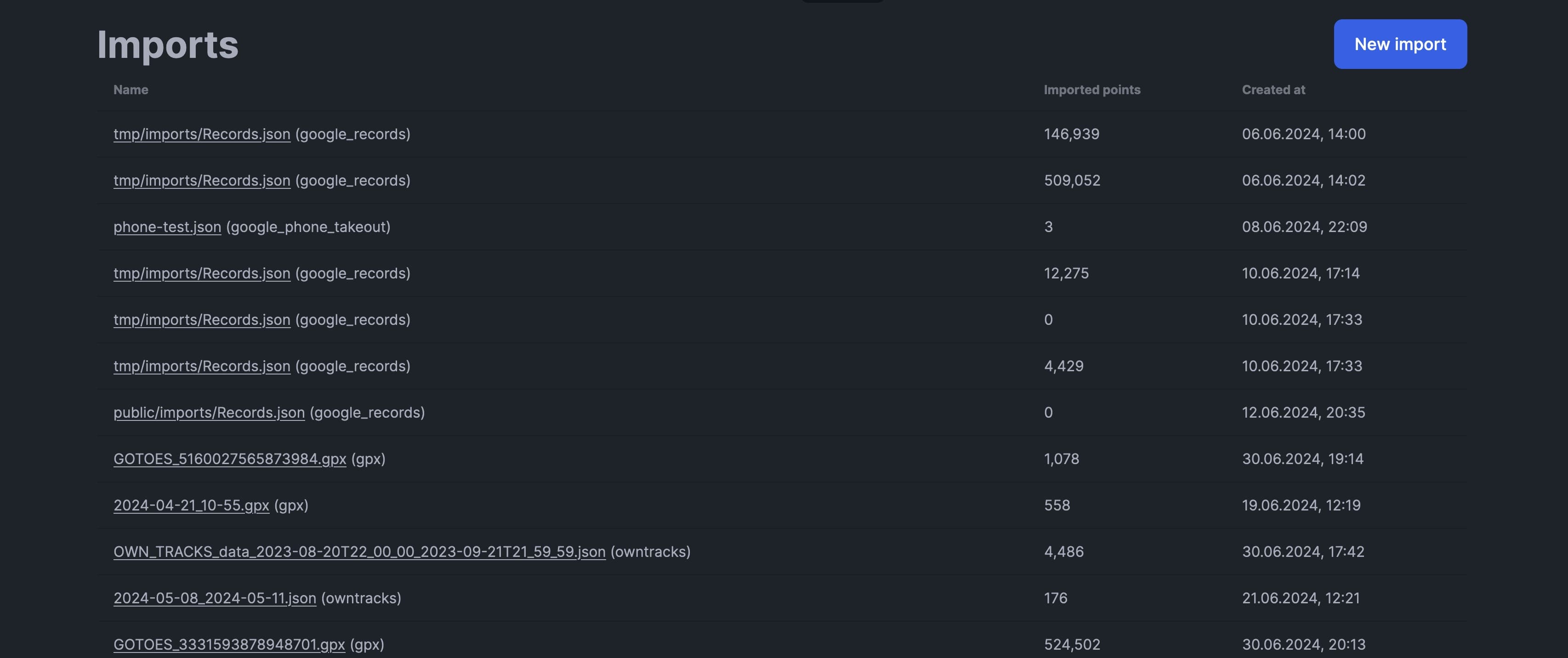
Navigate to the Imports page in Dawarich and select your file.
- Click "New Import" button
- Select the file(s) to upload
- Confirm to start processing
- Data format will be recognized automatically
Processing
Dawarich processes your import in the background. Large files may take a few minutes.
- Points are validated for uniqueness
- No duplicate entries created
- Reverse geocoding runs automatically
- You'll receive a notification when import is complete
Data Available
Once complete, all your imported data appears on your map and in your statistics.
- View points on the interactive map
- Stats automatically updated
- Create trips from imported data
- Search and filter imported locations
Smart Deduplication
Dawarich automatically prevents duplicate points. Import the same file twice or have your tracking app report the same location—we ensure each unique point is only stored once.
Supported Export Formats
Take your data with you—anywhere, anytime, in any format you need.
GPX Export
Export your location data as GPX files compatible with any GPS software or mapping application.
GeoJSON Export
Get your data in GeoJSON format for easy integration with GIS tools and custom mapping solutions.
Full Account Export
Download everything: all points, visits, trips, stats, and settings. Complete data portability.
How Exporting Works
Download your location data quickly and securely.
Go to Points
Navigate to the Points page in your Dawarich dashboard.
Select Date Range
Choose the specific date range for the data you want to export and hit Search.
- Select start and end dates
- Click "Search" to filter points
- Ensure all desired data is visible
Choose Format
Click the Export button
- Select between GPX or GeoJSON
- Full export for complete backup
Processing
Dawarich generates your export file in the background.
- Small exports complete instantly
- Large exports may take a few minutes
- You can continue using Dawarich
Download
Once ready, download your export file.
- Download link appears on Exports page
- Files stored securely
- Re-download anytime
Why Import & Export Matters
Switching Services
Easily migrate your complete location history from Google Maps Timeline or any other service to Dawarich.
Regular Backups
Export your data regularly to create backups. Keep local copies of your entire location history.
Cross-Platform
Use GPX exports in other GPS software, mapping applications, or import into different platforms.
Own Your Location Data
Start with a free account and import your existing location history today.